Noda records your meeting — or reads your documents — and Google's Gemini AI writes a clean, structured protocol: key points, agreements, action items with owners and deadlines, attendees, and sentiment. Then it spins that one meeting into a podcast, an infographic, a video, and a branded export.
Free to start — 15 credits the moment you sign up. No card required. iPhone & Android.
A normal recorder hands you audio. A “smart” recorder hands you a wall of transcript — every “um,” every tangent, every crosstalk line — and leaves you to dig out what was actually decided. You still re-listen, still re-type, still chase down who owns what. The meeting ends; the write-up has just begun.
Noda reads the conversation, fuses in the documents you uploaded, and produces a structured business protocol: a title, key points, the agreements you reached, and action items with an assignee and a deadline — plus attendees and overall sentiment. The write-up is done before you’ve left the room.
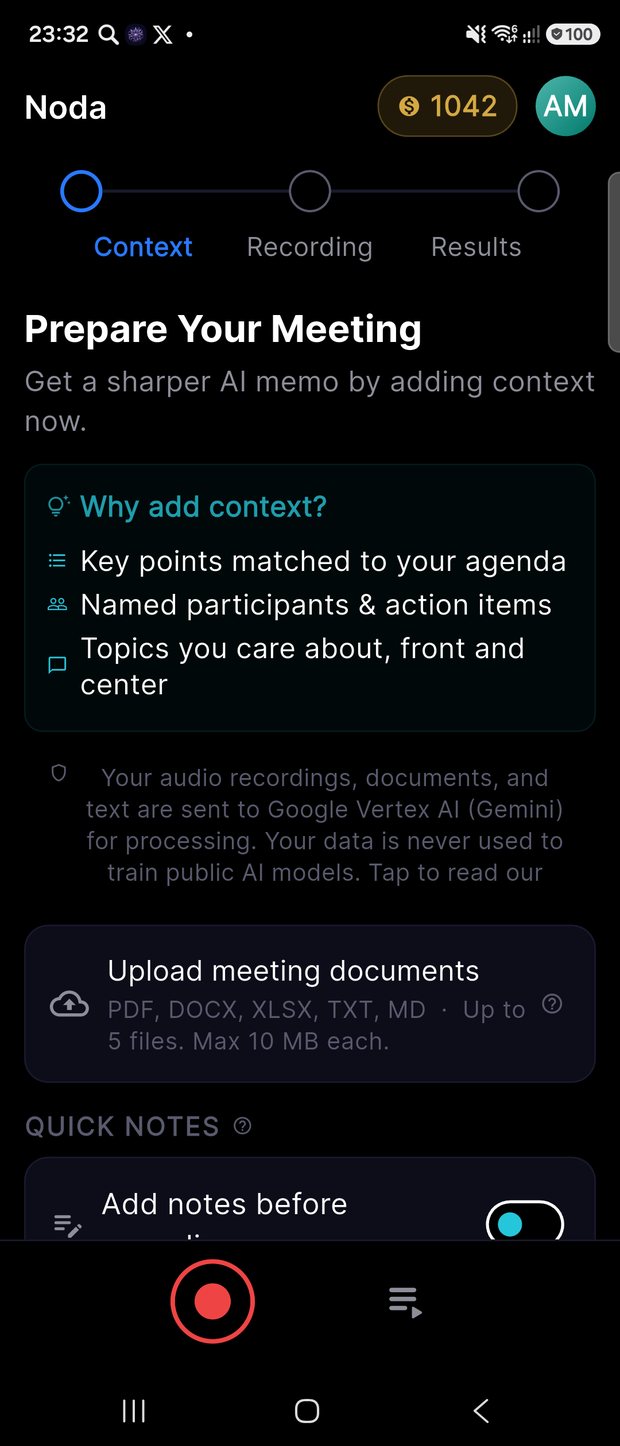
Upload your agenda, briefs, or spreadsheets — up to 5 files. Skip it and go straight to recording if you prefer.
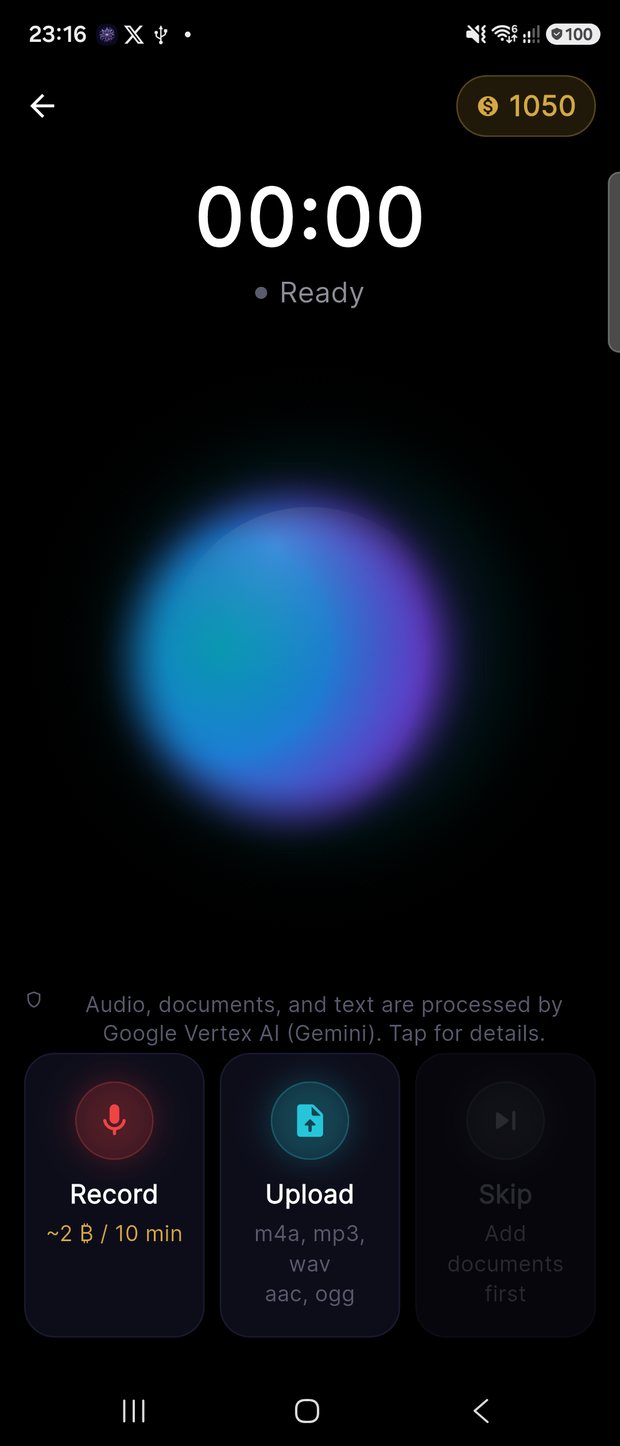
Capture the meeting (up to 60 min), or generate a protocol from documents alone — no recording required.
Noda writes the structured memo, then lets you spin it into a podcast, infographic, video, or branded export — and ask it questions.
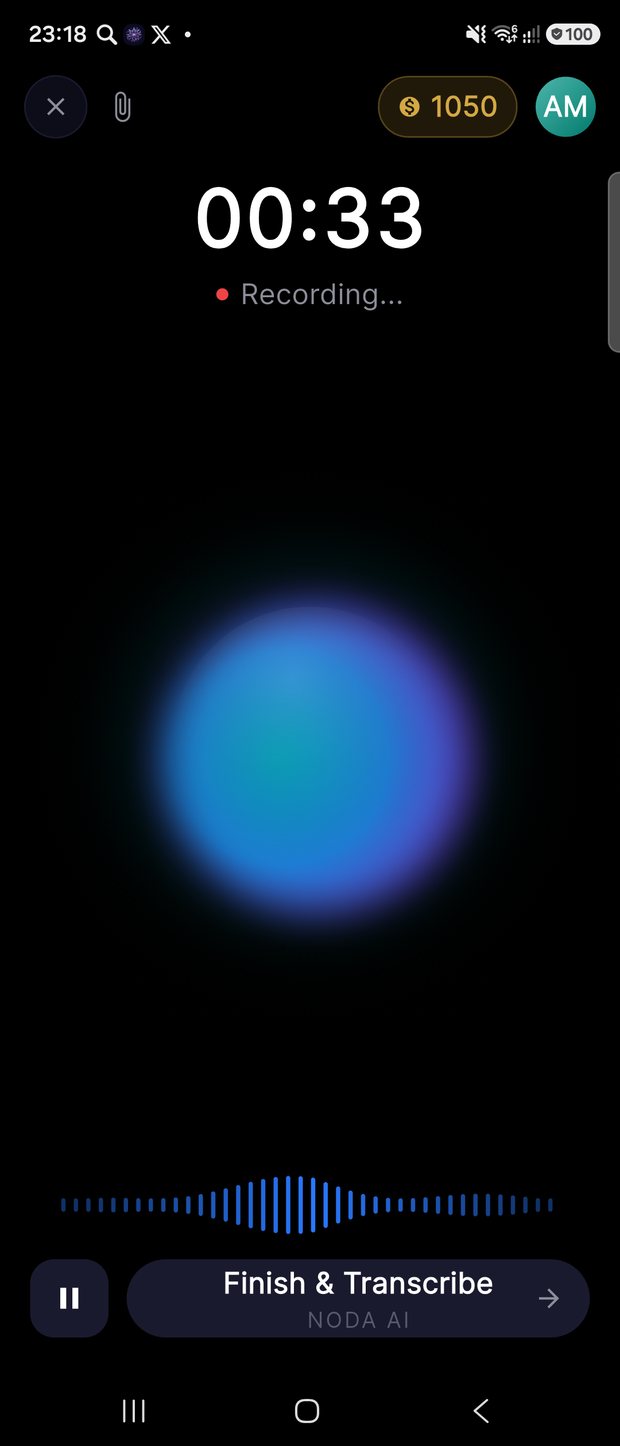
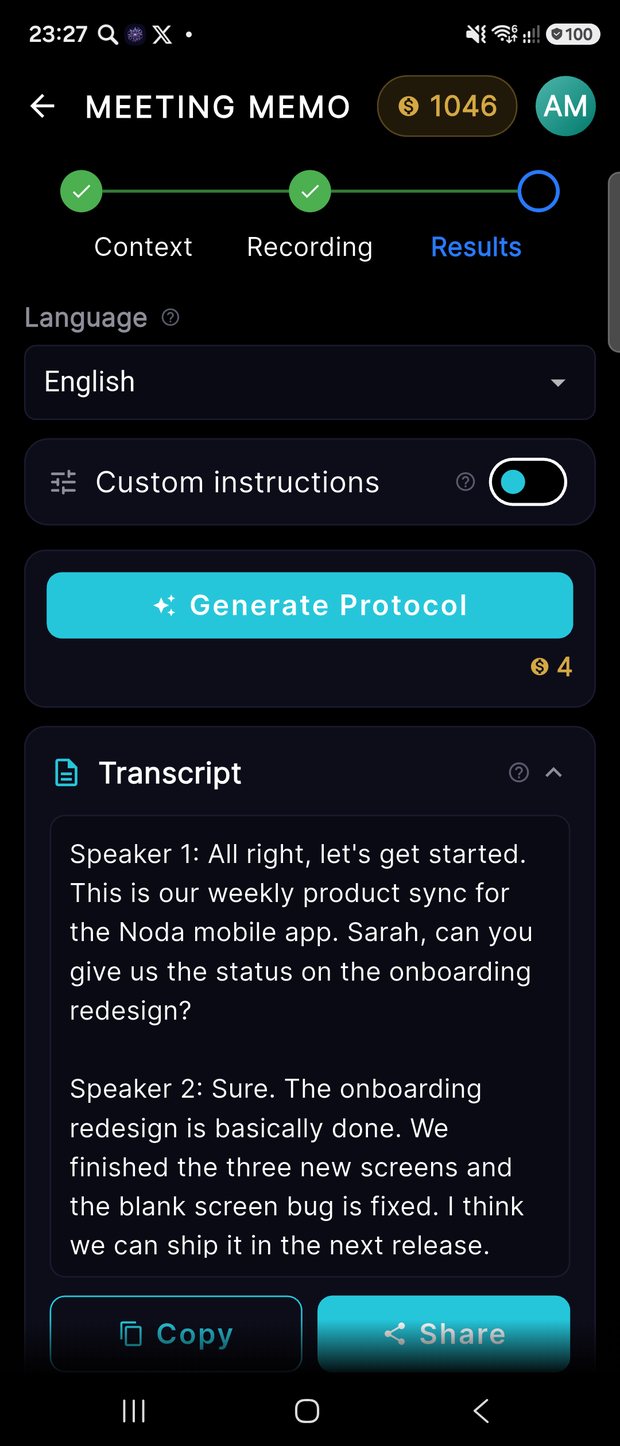
Start from documents or text — or record the meeting live. Noda transcribes it, structures it, and spins out every format you need. Here is the real flow, screen by screen.
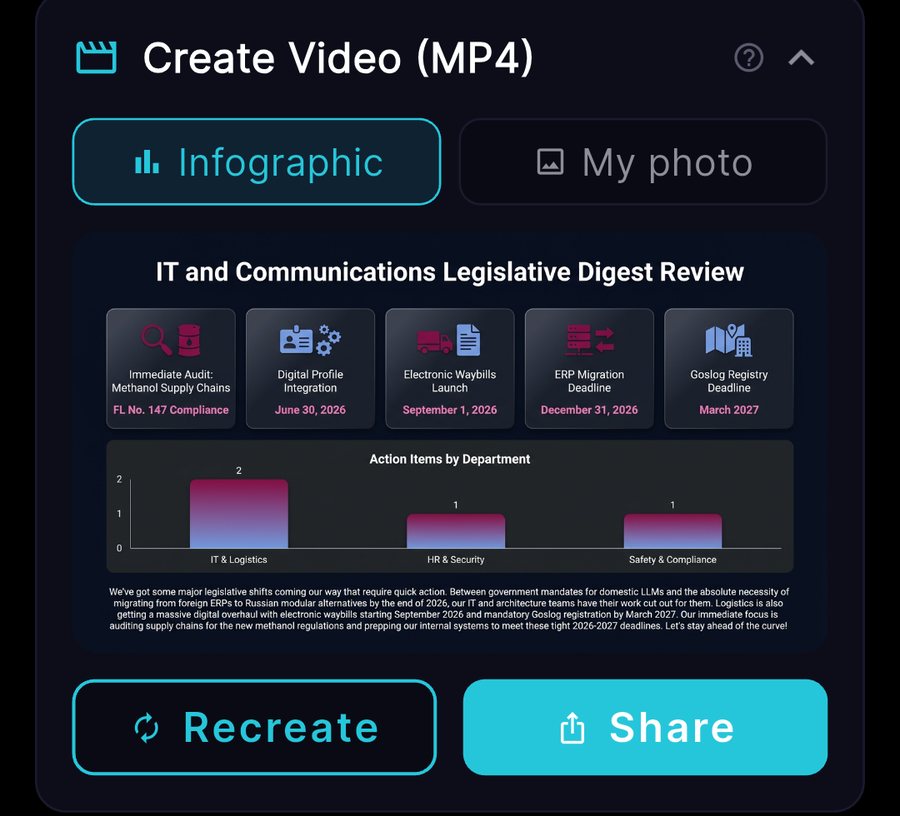
Every artifact on this page — the infographic, the 5-minute two-host podcast, and the video — was produced by Noda from a single document about the app. See & hear them →
Hit record and capture a full meeting (up to 60 minutes) on a single tap. Recording runs fully on-device, so a dropped signal never costs you the conversation. A live waveform shows you it’s listening.
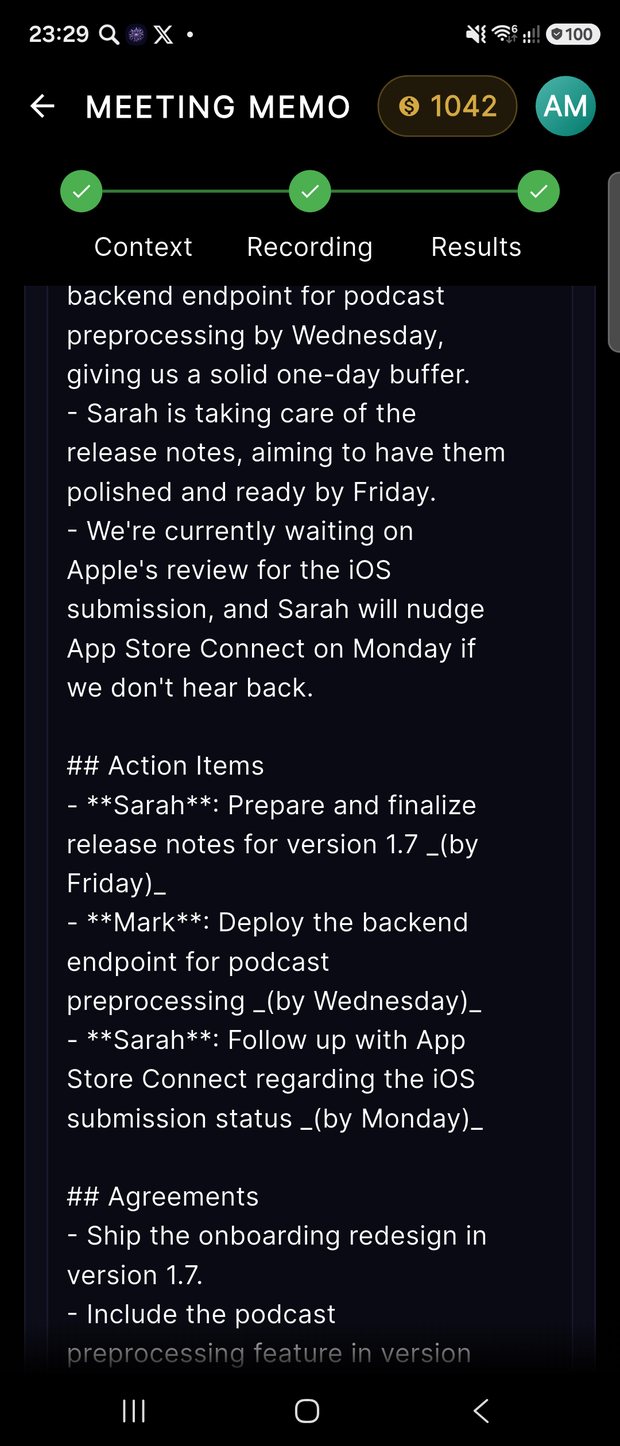
Noda returns a structured memo — key points, agreements, and action items with owners and deadlines, plus attendees and sentiment — never a raw, verbatim dump. The decisions are pulled out and assigned for you.
Upload up to 5 documents — PDF, DOCX, XLSX, TXT, or MD (10 MB each) — and Noda reads them as context. Your notes finally understand the background, the deal terms, and the numbers on the table.
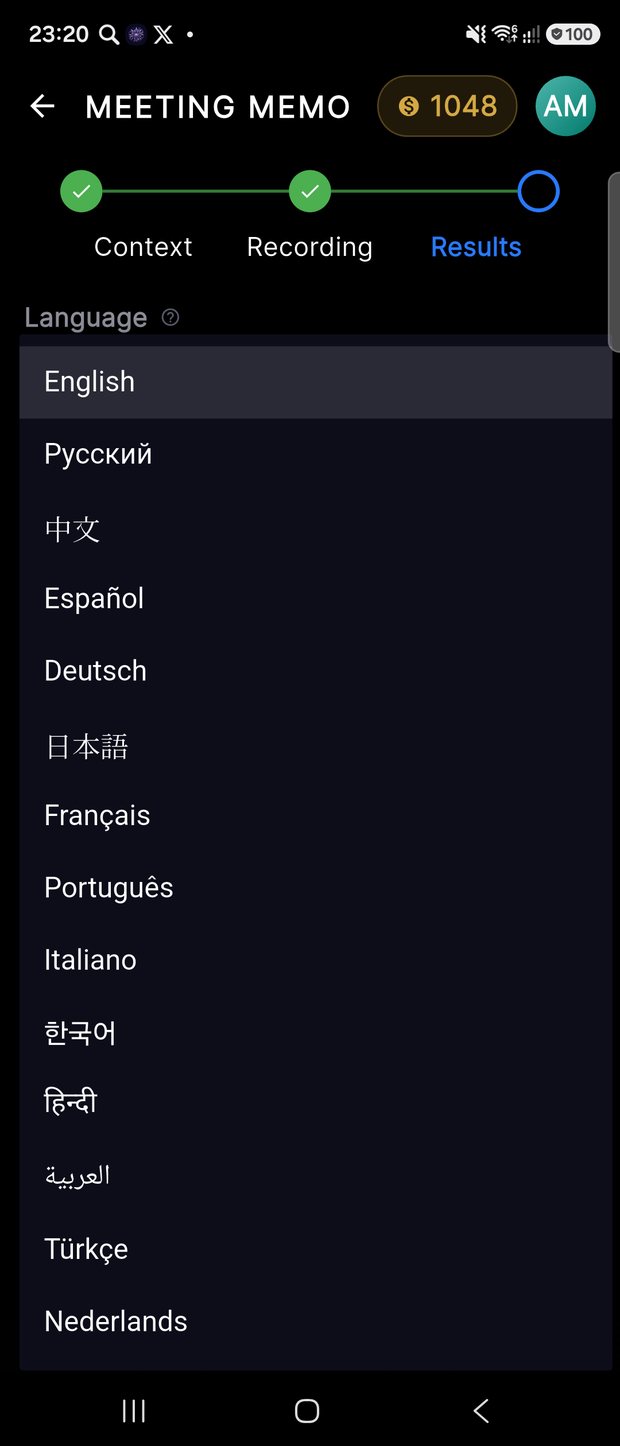
The app speaks 6 languages, and your protocol can be generated in any of 14 — English, Spanish, Chinese, German, Japanese, French, Arabic, and more. Record once in English and hand each audience the same meeting in their own language.
Set your avatar, display name, and app language; track your credit balance and history. Personalize Noda once and it stays out of your way from then on.
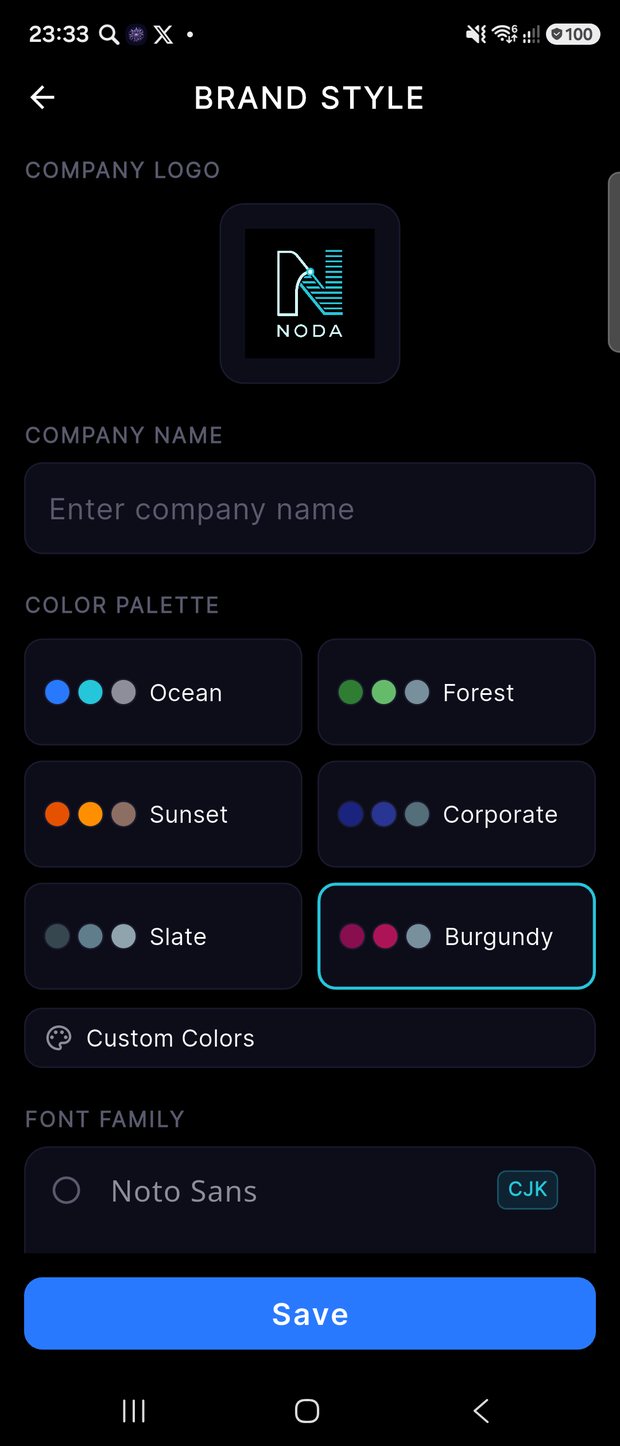
Pro users stamp exports with their company colors, name, and logo — choose a palette or set custom colors — so a protocol you share looks like it came from your brand, not a generic app.
This is what no plain dictaphone can do. From a single recording, Noda generates a full set of deliverables — each one real output from the app.
↓ The infographic, podcast, and video below were all generated by Noda itself — from a single document about the app.
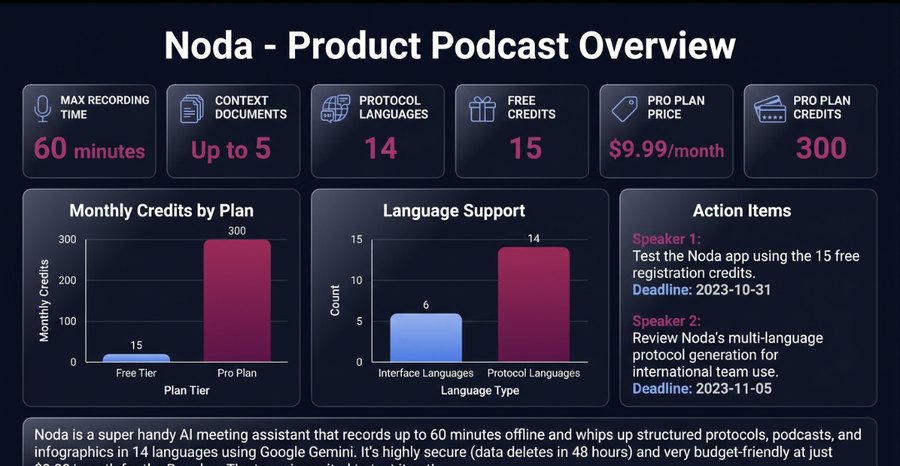
One tap turns the meeting into a brand-aware infographic — stat cards, charts, and the key takeaways at a glance.
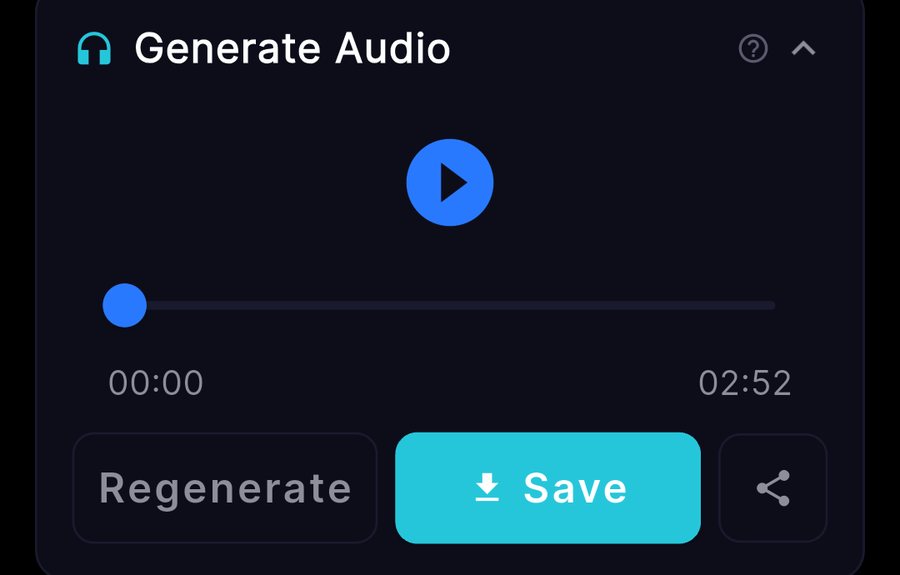
Listen to your notes as a narrated brief or a two-speaker conversation — you pick each speaker’s voice gender (here: male + female). This 5-minute episode is real Noda output.
Wrap the narration with the infographic — or your own photo — to produce a shareable MP4 in a tap.
Ask follow-up questions about any meeting and get instant answers.
Turn uploaded docs into an editable two-host podcast script before you record.
A polished, brand-styled web page of your meeting.
Save and share in multiple formats — always free.
Every task captured with an assignee and a deadline.
See the overall tone of the conversation at a glance.
No signal? Your audio queues and uploads itself when you’re back online.
Meetings clear from the server after 48 hours, by design.
Bill for thinking, not for typing up notes. Walk out of every client call with a branded, structured protocol — agreements and next steps already assigned — ready to send before you reach the parking lot.
Turn standups, reviews, and stakeholder calls into action items with owners and deadlines — then “Ask the Meeting” later when someone asks “what did we decide?”
Back-to-back days, zero time to write things up. Record, get the decisions and sentiment in seconds, and hand the team a clean protocol — without lifting a pen.
Speak in one language, deliver the protocol in another. Generate notes in any of 14 languages so everyone reads the same meeting in their own.
“I used to lose an hour after every client call writing it up. Now the protocol is done before I’m back at my desk.”

“The action items come out with names and dates attached. My team stopped asking ‘who’s doing what?’”

“I record in English, my team in Berlin reads it in German. Same meeting, no translation work.”

“Back-to-back calls all day. Noda hands me the decisions and the tone in seconds — that’s all I need.”

“Turning the brief into a two-host podcast before the meeting changed how prepared I walk in.”

“The branded HTML export looks like our agency made it by hand. Clients notice.”

How credits work: actions cost credits — e.g. transcription 2 / 10 min, a protocol 4, an infographic 3, podcast audio 4, a video 2, a chat question 1. Saving as PDF, TXT, or Markdown is always free.
Yes. Your content is processed by Google Vertex AI (Gemini) and is never used to train public AI models. Meetings also auto-delete from our servers after 48 hours, by design.
The app interface is available in 6 languages (English, Russian, Chinese, Spanish, German, Japanese), and your protocol can be generated in any of 14 — English, Spanish, Chinese, German, Japanese, French, Portuguese, Italian, Korean, Hindi, Arabic, Turkish, Dutch, and Russian.
Recording happens fully on your device, so you can capture a meeting with no signal. When you’re back online, Noda uploads the audio automatically — nothing is lost on a flaky connection. Generating the protocol and AI extras does require a connection.
Up to 5 documents — PDF, DOCX, XLSX, TXT, and MD — at up to 10 MB each. Noda reads them as context so your notes match your agenda.
Meetings automatically delete from our servers 48 hours after their last update — privacy by design. Export anything you want to keep (PDF, TXT, MD, or HTML) before then.
Yes. You get 15 credits the moment you sign up — no card required — so you can run the full flow before deciding. Pro ($9.99/month) adds 300 credits every month, branded exports, priority support, and add-on credit packs.
Record, upload, and let Noda turn the conversation into decisions — a protocol, a podcast, an infographic, a video, and a branded export, in your language.
 Noda
Noda